

Looks like you don't have ESC button on your device
Välj ett av följande alternativ
TestversionHar licens

Looks like you don't have ESC button on your device
Välj ett av följande alternativ
TestversionHar licens

Emil Rindell

Jonas Bryntesson

Henrik Andersson
2026-06-01
Emil Rindell
Jonas Bryntesson
Henrik Andersson
2026-06-01
Ladda ned ett PDF-dokument med dessa instruktioner.
Ladda ned IronCAD Design Collaboration Suite 2026 SP2 (3.01 GB):
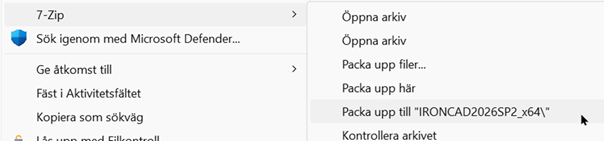
Packa upp filen.
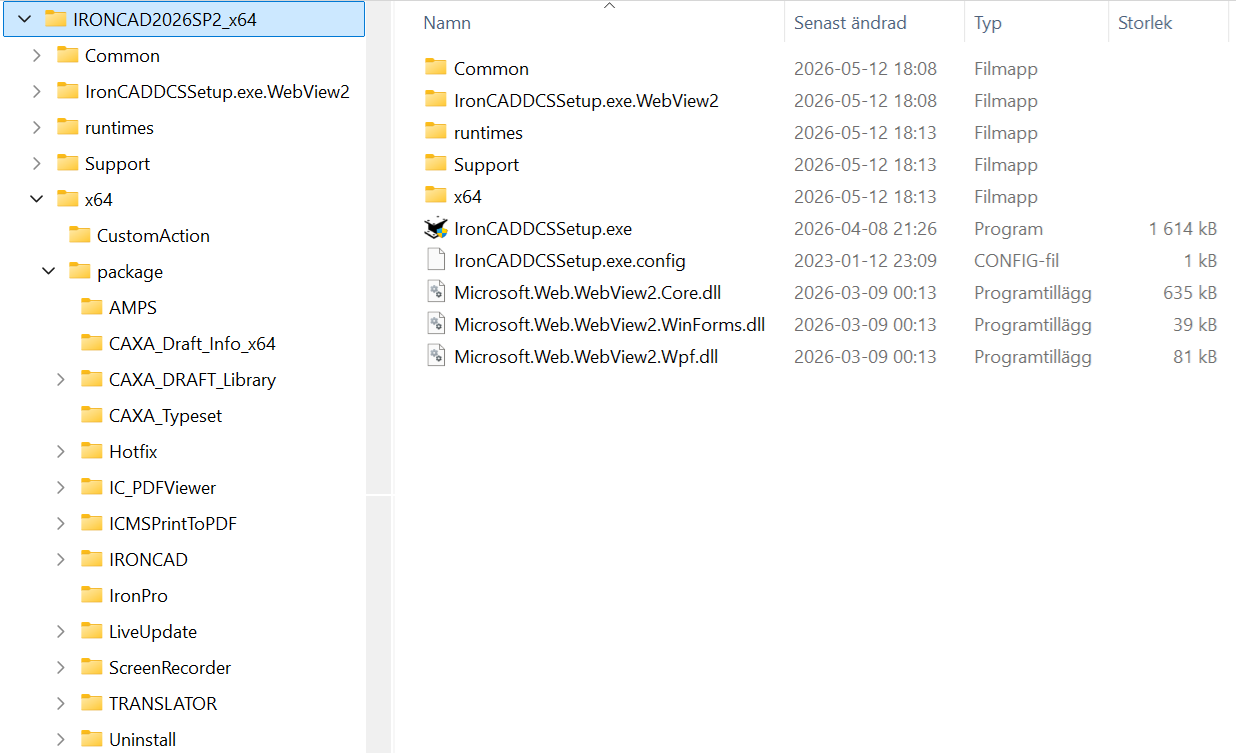
Detta är filens innehåll och mappstruktur:
Ladda ned ett PDF-dokument med instruktioner från IronCAD R&D:
https://www.ironcad.com/support/readme/2026/SilentInstall_IC2026.pdf
Där vi rekommenderar dessa inställningar för en metrisk ISO-baserad grundinstallation:
CommandLine:
msiexec.exe/i IronCADSuite2026_x64.msi /qn
UP_DEFAULT_KERNEL=2
UP_DEFAULT_SCENE_TEMPLATE=Metric
UP_DEFAULT_DRAWING_TEMPLATE="ISO"
UP_DEFAULT_TD_TEMPLATE="ISO"
UP_DEFAULT_DRAFT_STD=2
UP_DEFAULT_PMI_STD=1
Där texten IronCADSuite2026_x64.msi skall inkludera hela sökvägen till MSI-filen.
I exemplet ovan, där installationspaketet har packats upp, är den relativa sökvägen:
..\IRONCAD2026SP2_x64\x64\package\IRONCAD
Se även till att installera dessa punkter, som nämns i dokumentationen;
- Draft Component Library
- IronCAD Translator Bundle
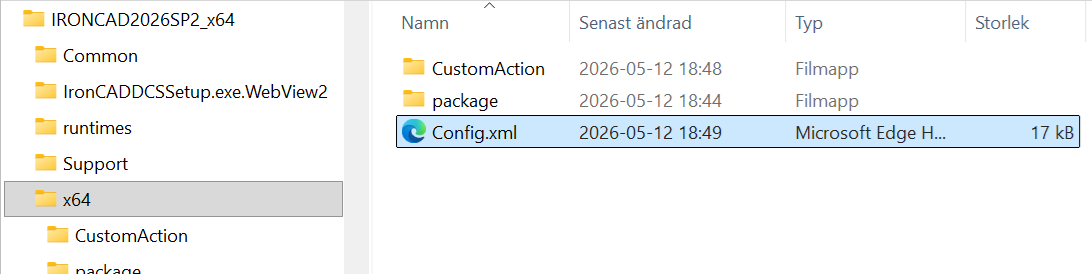
IronCAD’s Full installation (and Update installation) follows a process using a simple utility program “IronCADDCSSetup.exe” in conjunction with an XML configuration file (“Config.xml”), to control the rules, sequence, and options of installing multiple MSI installation packages and MS redistributables.
The format of the Config.xml file should be self-explanatory to any developer familiar with MSI packages, but I’ll point out some key points of the IronCAD Design Collaboration Suite 2026 Service Pack 2 below.
For IC2026SP2, the “main product” are the hotfix DLL’s / EXE’s and other files that are part of this “Service Pack 2” release.
Note the use of the isHotfix=”true” parameter below, which tells the IronCADDCSSetup.exe that this “product” is delivering hotfix files.
In addition to delivering (copy / replace) the files from the “Source” to the installed folder of the product, matching the ProductCode below…
…this service pack will also need to perform a “CustomActions”:
The use of square brackets [SourceFolder] in the command (cmd) is used to identify the root of the directory structure of the unpacked files.
Notering från Solidmakarna gällande denna CustomActions:
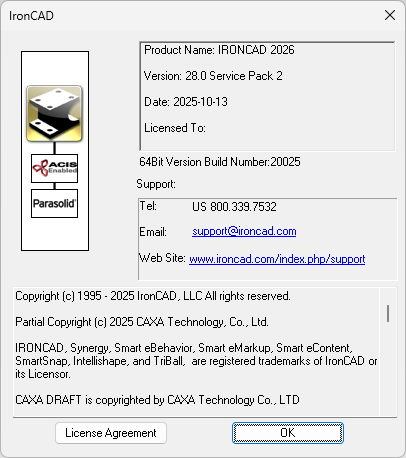
Registerfilen i fråga - regUpdateInfo_Combined-ATL.reg - innehåller justeringar till MS Registret för att sätta "Service Pack 2" till mjukvaran, enligt dessa rader:
Under programmets ”Help, About”, visas detta på rad 2 efter texten ”Version: 28.0 ”
The ChildProducts include delivering an add-on such as the IronCAD Translator Bundle, Multiphysics for IronCAD 2026, and IronCAD Mechanical. Note that these MSI packages have already been designed to perform the correct type of update operations in the event that they detect an existing package (identified by ProductCode) already installed.
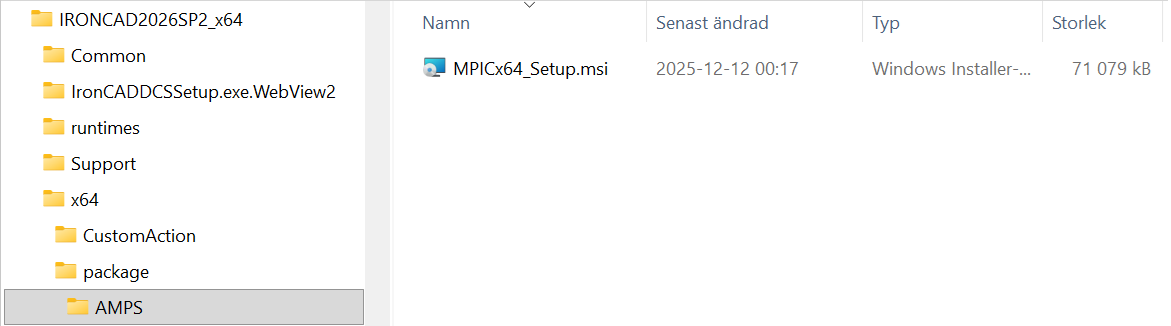
For the add-on AMPS MultiPhysics FEA, you can just install using the standard MSI command and the provided ProductCode:
For the add-on IronCAD Translator you can ignore the *_Setup.exe and just use the standard MSI command with the provided ProductCode:
IronCAD PDF Viewer
For the add-on IronCAD PDF Viewer you can ignore the *_Setup.exe and just use the standard MSI command with the provided ProductCode:
IronCAD Screen Recorder
For the add-on IronCAD Screen Recorder you can ignore the *_Setup.exe and just use the standard MSI command with the provided ProductCode:
For the add-on IronCAD Mechanical, you can just run the EXE.
Denna installationsfil ska bytas ut mot en svensk motsvarighet. Om denna information i Config.XML används ska alltså IronCAD Mechanical ersättas med ett alternativ enligt steg 5 längre ned i detta dokument.
CommandLine
The CommandLine property in the Config.xml file provides additional parameters that are passed directly to the msiexec.exe program, such as /qn for Quiet and /norestart. Details can be found in any primer on Microsoft msiexec.exe
Ladda ned och installera vårt tillägg Svensk Metrisk Standardanpassning 2026 som innehåller rekommenderade inställningar och mallar etc.
Ladda ned och installera tillägget IronCAD Mechanical 2026
Ta kontakt med oss för detta steg och för att få rätt licensfil.
Licensfilen är giltig t.o.m. ett givet datum och måste därefter ersättas med en ny licensfil för att samtliga funktioner i tillägget fortsatt ska vara tillgängliga. Grundläggande funktioner som standardkomponenter (skruvar, muttrar, balkar osv) fungerar dock även utan en giltig licensfil.
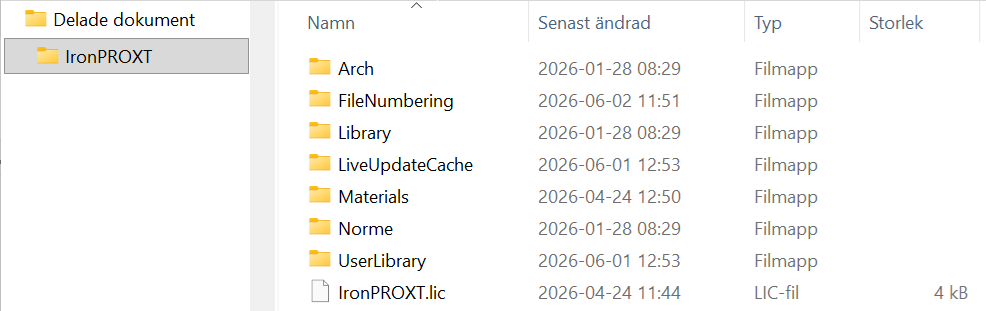
Packa upp ZIP-filen och placera filen IronPROXT.lic i mappen:
C:\Users\Public\Documents\IronPROXT
Det sista steget är att se till att klienten kan starta programmet med en licens. Troligtvis är det en flytande nätverkslicens eller en mjukvarulicens låst till samma dator
Aktiveringsinstruktioner för flytande nätverkslicens
Aktiveringsinstruktioner för mjukvarulicens
Om ni vill kan Solidmakarna bistå med kontroll och test av en klient när installationspaketet är redo att köras. Genom fjärranslutning med t.ex.Teamviewer kan vi gemensamt ta en titt och se att allt blev som det var tänkt.

Svar: Här publicerar vi tips, guider, nyheter och lösningar för dig som arbetar med IRONCAD och Design Data Manager (DDM). Bloggen täcker allt från grundläggande funktioner till avancerade arbetsflöden, vilket hjälper dig att optimera ditt konstruktionsarbete. Du hittar exempel på smarta genvägar, praktiska instruktioner, lösningar på vanliga problem och bästa praxis för produktdesign, mekanikkonstruktion och produktdatahantering.
Svar: Våra guider och tips är utformade för både nybörjare och erfarna CAD-användare. De riktar sig till konstruktörer, ingenjörer och projektledare som vill arbeta mer effektivt med IRONCAD och DDM, förbättra designprocessen, minska misstag och spara tid i produktutvecklingen.
Svar: Vi publicerar regelbundet nya artiklar när programvaran uppdateras, när nya funktioner introduceras, eller när våra användare efterfrågar lösningar på specifika problem. Bloggen är därför en pålitlig källa för att hålla sig uppdaterad och få tips som underlättar vardagen i CAD-arbetet.
Svar: Många av våra instruktioner och tips fungerar i flera versioner, men vi markerar tydligt om en artikel gäller en specifik version. Vi strävar efter att göra innehållet användbart även för äldre versioner, och ger dessutom rekommendationer för hur du kan anpassa arbetsflöden till den version du använder.
Svar: Absolut! Om du inte hittar lösningen i bloggen kan du kontakta vår tekniska support via solidmakarna.se/support. Våra experter hjälper dig med allt från installation och konfigurering till avancerade funktioner i IRONCAD och DDM, så att du kan lösa problem snabbt och effektivt.
Svar: Ja! Vi uppskattar förslag från våra användare. Om du har frågor, tips eller vill att vi tar upp ett specifikt problem i IRONCAD eller DDM kan du kontakta oss via vårt kontaktformulär, så prioriterar vi relevanta ämnen i kommande inlägg.
Svar: Bloggen innehåller bland annat:
Praktiska steg-för-steg-guider som hjälper dig att använda IRONCAD och DDM mer effektivt.
Produktivitets- och arbetsflödstips för snabbare design och konstruktion.
Lösningar på vanliga problem som användare stöter på i CAD-programmen.
Uppdateringar och nyheter om nya funktioner, versioner och förbättringar.
Best practices för datahantering och projektorganisation i DDM.
Svar: Alla tips och guider är direkt tillämpbara i dagligt arbete. Du kan till exempel använda genvägar och smarta funktioner i IRONCAD för att snabba upp modellering, strukturera filer bättre i Design Data Manager, eller följa våra steg-för-steg-lösningar för specifika problem som ofta dyker upp i konstruktionsprojekt.
Svar: Vi strävar efter att alla guider och tips ska vara relevanta för de senaste versionerna av IRONCAD och DDM. Vi markerar dessutom tydligt när ett inlägg gäller en äldre version, så att du alltid vet om instruktionen är direkt tillämpbar för ditt system.
Svar: Ja! Många av våra användare delar artiklarna med kollegor och använder dem som interna utbildningsmaterial. Bloggen är ett bra komplement till formell utbildning och hjälper team att lära sig funktioner snabbare, undvika misstag och standardisera arbetsflöden i IRONCAD och DDM.
